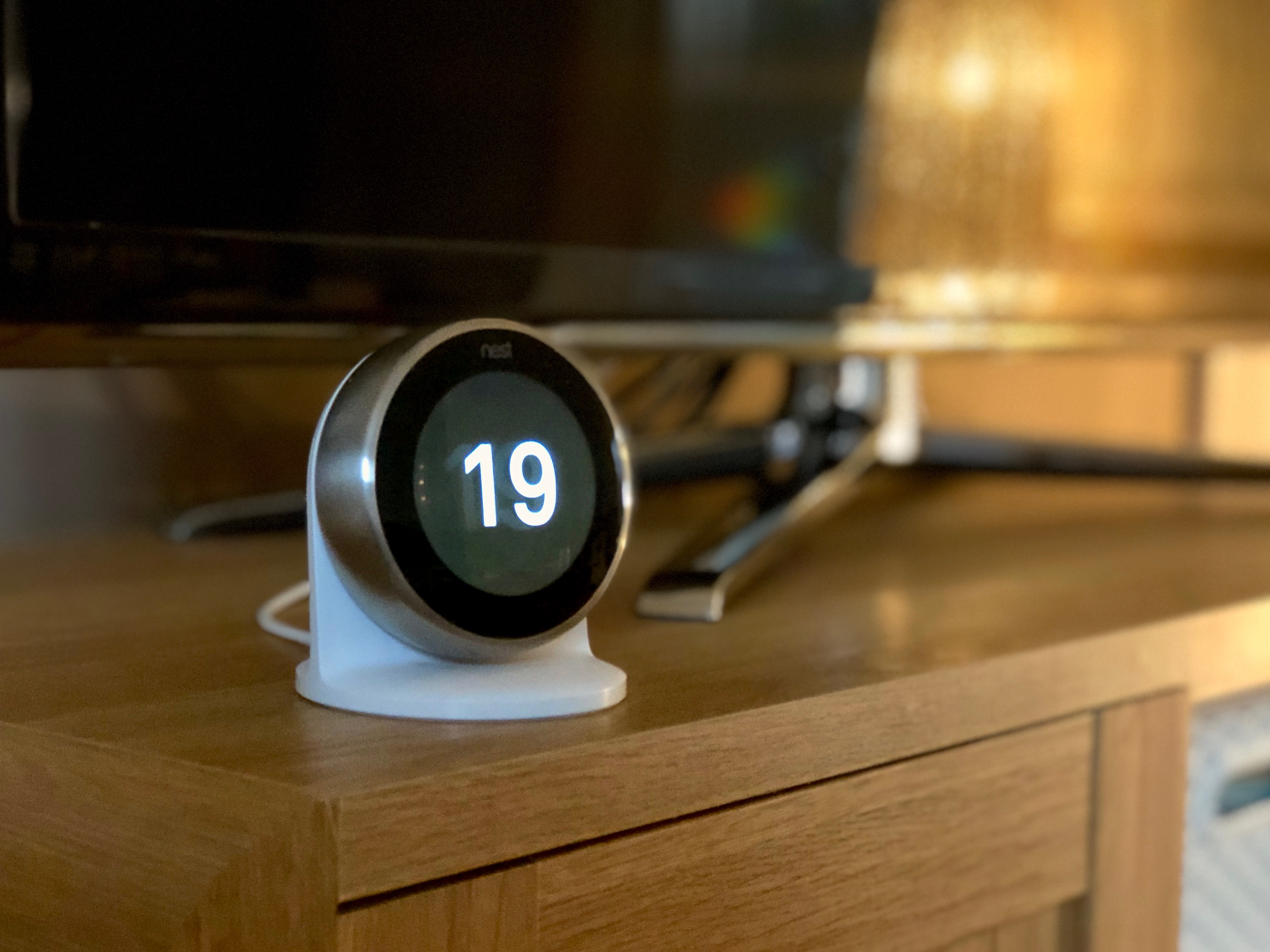
Introduction
Ten years is an unreasonable amount of time for a piece of consumer electronics to
stay at the top of its category. The third-generation Nest Learning Thermostat
arrived in September 2015, and it is still the product every other smart thermostat
gets measured against — including the ones that have since overtaken it on paper.
That endurance is not nostalgia. It comes down to one idea that Nest executed better
than anyone before or since: the thermostat should build its own schedule. Auto-Schedule
watches what you do for roughly a week, notices that you nudge the dial down at eleven
at night and back up at six in the morning, and quietly writes that into a programme.
Most competitors have since added scheduling assistants. Very few have made the
programming step genuinely optional.
There is now a large complication, and it deserves to sit at the top of this review
rather than buried near the end. Google has discontinued this model. The product
page at store.google.com no longer resolves to the 3rd gen; it redirects to the
4th-generation Nest Learning Thermostat, and the original specification page redirects
to the Google Store homepage entirely. The 3rd gen is still widely stocked by
third-party retailers at around $239, but you are buying end-of-life hardware, and the
figures below are drawn from Nest's original technical documentation and from
independent outlets rather than from a live manufacturer spec sheet.
Whether that matters depends entirely on what you want from a thermostat, and this
review is largely an argument about that question.
Design and Build
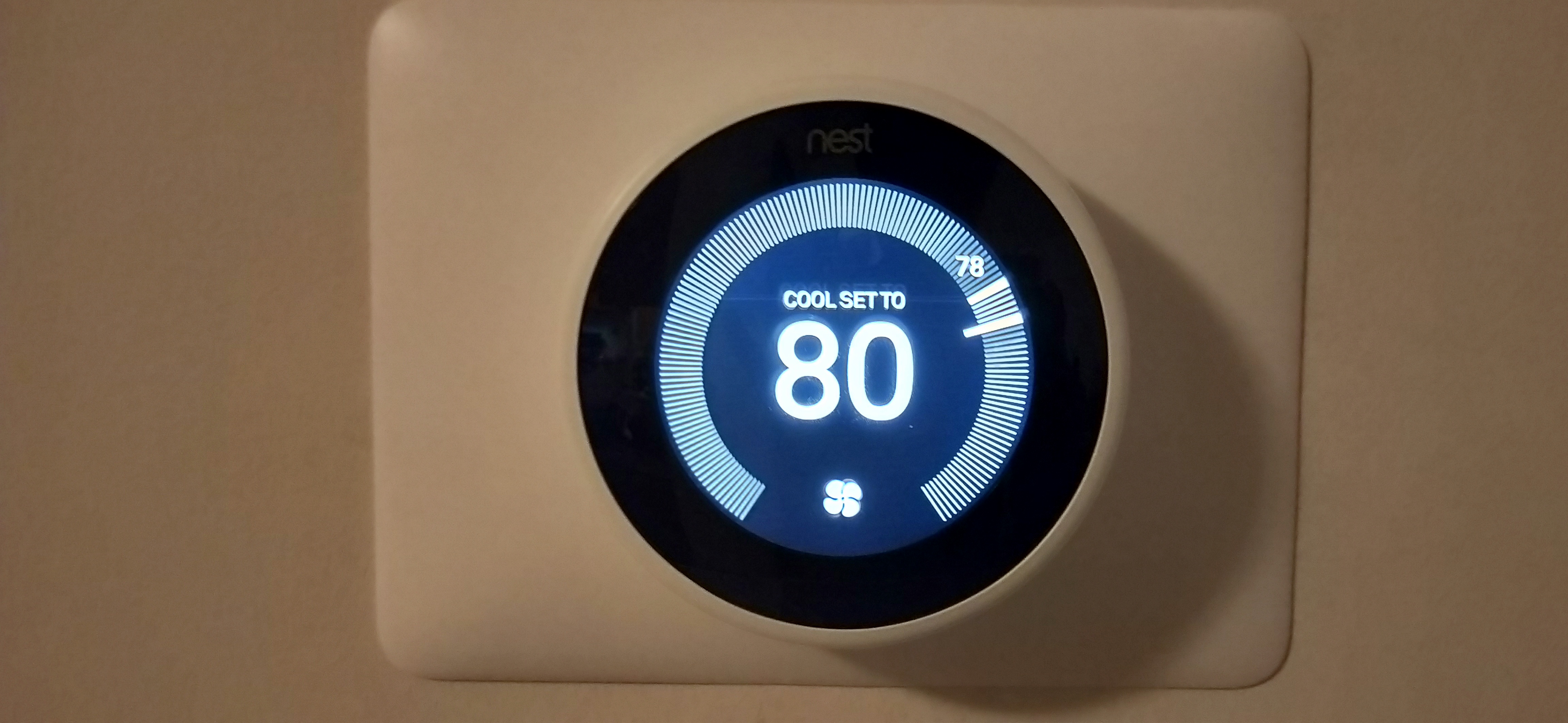
The 3rd gen is a 3.3-inch disc that stands 1.2 inches off the wall, and virtually all
of its visual identity comes from the fact that the entire outer body rotates. You turn
the ring to change temperature and press the whole face to select. There is no
touchscreen, no capacitive strip, and no menu you have to hunt through with a
fingertip. It is the most direct physical control anyone has shipped on a connected
thermostat, and it is the single detail owners miss most when they move to something
newer.
AG20044018 / Wikimedia Commons (CC BY-SA 4.0)
Behind the Gorilla Glass sits a circular colour LCD measuring 2.08 inches and running
at 480 by 480 pixels. That is a modest panel by 2026 standards, but circular displays on the wall are
read at three metres, not thirty centimetres, and the pixel density is comfortably
sufficient for a two-digit temperature and a status ring. PCMag, which reviewed both
this model and its successor, describes the 3rd gen display as 2.1 inches at 480 by 480
and notes the 4th gen went larger and thinner rather than sharper.
The stainless ring is available in a genuinely wide set of finishes — Mirror Black,
White, Polished Steel, Copper, Brass and Matte Black across the T3016–T3032 SKU range —
though not all were sold simultaneously or in every region. The mirrored face reflects
your wall colour, which is a quietly clever way of making a piece of white plastic
disappear into a room.
Five sensors are packed into that disc: temperature, humidity, a near-field activity
sensor, a far-field activity sensor and an ambient light sensor. The two activity
sensors drive Farsight, which wakes the display to a large clock or temperature readout
when it detects someone entering the room. The light sensor drives Sunblock, which
recognises when direct sunlight is falling on the thermostat and discounts the
artificially high reading rather than firing the air conditioning for no reason. Both
are small features. Both address failure modes that cheaper thermostats simply live
with.
Installation is a roughly thirty-minute job for most people. The base includes a bubble
level and wall anchors, and the unit walks you through wiring on-screen. Most homes
will not need a C-wire: the thermostat charges an internal battery by drawing small
amounts of power through the existing heating and cooling wires. Google's own guidance
is explicit that heating-only, cooling-only, zone-controlled and some heat pump systems
are the exceptions, and those need either a C-wire or the separately sold Nest Power
Connector at around $14.99.
Performance in Everyday Use
The measure of a learning thermostat is whether you stop thinking about it, and the
3rd gen passes that test faster than anything else in the category. Auto-Schedule takes
about a week of manual adjustments and turns them into a programme. From that point the
useful interactions drop to almost nothing — you override it when you have a late night
or an unexpected day at home, and the schedule absorbs the change.
Home/Away Assist handles the other half of the problem. It combines phone location with
the on-device activity sensors, so an empty house drops into Eco mode without you
remembering to set anything, and a house that is occupied by someone who left their
phone upstairs does not get abandoned to 62 degrees. Using both signals rather than
geofencing alone is the correct engineering decision and it is why the feature has aged
well.
On HVAC capability the 3rd gen is stronger than its price class suggests, and this is
where it still beats products released years later. It handles 24V systems with up to
three stages of heating and two of cooling, heat pumps including auxiliary and emergency
heat, dual-fuel and hybrid setups, forced air and radiant delivery, and oil, gas or
electric heat sources. Three-stage heating is the standout: the cheaper 2020 Nest
Thermostat tops out at two stages, a limitation PCMag calls out directly in its
coverage. If you own a multi-stage furnace, that difference alone can decide the
purchase.
Multi-room balancing is handled by Nest Temperature Sensors. Up to six can be paired to
one thermostat, they cost roughly $39 apiece, and you can tell the thermostat which
room to prioritise at which time of day — bedroom overnight, living room in the
evening. The catch is the radio. They communicate over Bluetooth Low Energy, which is
why they only ever worked with the 3rd gen and the Nest E, and Bluetooth range through
interior walls is the practical limit on how far across a house you can place them.
The supporting features are the ones a decade of iteration produces. Furnace Heads-Up
watches your system's power cycles and flags abnormal behaviour before it becomes a
service call. Time-to-Temp tells you how long the house will take to reach the target.
Energy History gives you a rolling ten-day record in the Nest app. That ten-day window
is genuinely short — ecobee and Honeywell both retain considerably more — and it is the
weakest part of an otherwise strong software package.
One widely repeated claim needs handling carefully. Nest marketed savings of 10–12% on
heating and 15% on cooling, citing independent studies by Ecofys, E3 and Opinion
Dynamics conducted for utility efficiency programmes. Those figures were published on
Google's own product pages, but those pages are now offline, so the primary source
cannot currently be checked. For a grounded expectation, the Department of Energy's
ENERGY STAR programme estimates a smart thermostat saves roughly 8%, or about $50 a
year, as cited by Tom's Guide. Treat that as the floor and the Nest figures as an
unverifiable ceiling.
Competitive Comparison
The most awkward comparison is with Google's own catalogue. The Google Nest
Thermostat (2020) costs about $129.99 and undercuts the Learning model by a hundred
dollars. It adds a 60GHz Soli radar presence sensor and a display of 2.4 inches, and it
supports Matter — but it has no Auto-Schedule, its schedule cannot be edited on the
device at all, it caps out at two stages of heating, and it does not work with Nest
Temperature Sensors. It is the cheaper thermostat, not the lesser-featured version of
the same one.
The ecobee Smart Thermostat Enhanced at around $184.83 is the sharpest rival on
value. It brings a colour touchscreen of 4 inches at 540 by 540 — visibly larger and
higher resolution than the Nest — in a body measuring 103.89 mm square, plus
radar-based occupancy and proximity sensing, and it
includes a Power Extender Kit in the box, so the C-wire question is solved rather than
worked around. It also supports accessory control for humidifiers, dehumidifiers and
ventilators. Where the Nest wins is scheduling autonomy and three-stage heat; where the
ecobee wins is screen, sensor architecture and price.
The Amazon Smart Thermostat at $79.99 is the value case, and it is a serious one if
you live in Alexa. It costs a third of the Nest and covers the fundamentals
competently. It has no remote sensor support, no learning, and no Google Assistant or
Apple Home integration, so it is the right answer only for a single-zone home already
committed to Amazon.
The Honeywell Home X8S at about $259.99 is the one product here that is more
expensive than the Nest, and Honeywell's argument is HVAC breadth and a large modern
touchscreen rather than automation cleverness.
The line that matters across all four is connectivity. The 3rd gen runs 802.11 b/g/n on
2.4GHz only, alongside an 802.15.4 Weave radio and Bluetooth LE. It has no Matter and
no Thread, which means no Apple Home, ever, and no path onto whatever platform
dominates in five years. Google Assistant, Alexa and IFTTT all work today. That is the
real trade: the best automation in the category, locked to an ecosystem that Google has
now moved on from.
Who Should Buy It
Buy the 3rd gen if you want a thermostat you set up once and stop touching, and if you
value that above platform longevity. If nobody in the house wants to write a heating
schedule, Auto-Schedule is still the most effective answer anyone has shipped, and the
rotating ring makes the occasional override a one-second action rather than a menu
dive.
It is also the right call for two specific technical situations. If you have a
multi-stage furnace needing three stages of heat, most similarly priced rivals —
including Google's own cheaper model — cannot drive it. And if you want room-by-room
balancing on a Google or Alexa household, six pairable sensors with per-time-of-day
prioritisation is a capable system at a reasonable incremental cost.
Look elsewhere in three cases. If you use Apple Home, stop here — the 3rd gen has no
HomeKit support and no Matter to retrofit it. If your network is 5GHz-heavy or you have
had trouble getting 2.4GHz-only devices onto a mesh system, that is a real friction
point. And if you are buying primarily on value, the ecobee Enhanced at roughly $55
less delivers a better screen, better sensors and an included Power Extender Kit.
The discontinuation deserves its own weight. Google will keep the Nest app running for
existing hardware for now, but there is no meaningful prospect of new features, and the
absence of Matter means this device cannot follow the industry forward. Buying it in
2026 is buying a decade-old design at close to its original price because the software
behaviour is still best in class.
Final Verdict
The third-generation Nest Learning Thermostat is a genuinely great product in an
awkward position. The hardware is beautifully resolved — the rotating ring, the
mirrored finish, Farsight and Sunblock are all details that a cheaper thermostat skips
and that you notice every day. The automation is still the category benchmark, and the
HVAC compatibility, particularly three-stage heating, is broader than its price
suggests.
But it is end-of-life hardware sold at roughly $239, which is more than the ecobee
Enhanced, nearly double the current Nest Thermostat and three times the Amazon Smart
Thermostat. It has no Matter, no Thread and no Apple Home, and its 2.4GHz-only radio is
starting to be a nuisance. Its energy history window is ten days when rivals offer
months, and Google no longer publishes a current weight or warranty figure for it,
which is its own kind of answer about the product's status.
The recommendation is narrow but sincere. If Auto-Schedule and three-stage heat are the
things you are buying, nothing else does both, and this remains an excellent thermostat
that will serve for years. If you are buying a smart thermostat in general, the ecobee
Smart Thermostat Enhanced is the better purchase in 2026, and the 4th-generation Nest is
the better purchase if you want this specific design language with a future attached.
Frequently Asked Questions
Is the 3rd gen Nest Learning Thermostat discontinued?
model, and the original specification page redirects to the Google Store homepage. It
remains available from third-party retailers, but it is no longer sold or documented by
Google directly.
Do I need a C-wire to install it?
power through your existing heating and cooling wires. Google's guidance names
heating-only, cooling-only, zone-controlled and some heat pump systems as the
exceptions, and those need either a C-wire or the separately sold Nest Power Connector,
priced around $14.99.
Does it work with Apple HomeKit?
support. Google Assistant, Amazon Alexa and IFTTT all work. If Apple Home is a
requirement, this is not the thermostat to buy at any price.
How many remote temperature sensors can I add?
You can nominate which sensor takes priority at which time of day. They connect over
Bluetooth Low Energy, so interior walls set the practical placement limit.
Will it run a three-stage furnace?
24V systems, along with heat pumps with auxiliary or emergency heat and dual-fuel
setups. This is one of its clearest advantages over the cheaper 2020 Nest Thermostat,
which supports only two heating stages.
How long does Auto-Schedule take to learn my routine?
thermostat builds a schedule from the pattern of those adjustments. You can edit or
override the resulting programme at any time from the dial or the Nest app.
Does it connect to 5GHz Wi-Fi?
device interconnect and Bluetooth LE for the temperature sensors. On mesh networks that
steer clients aggressively toward 5GHz, you may need to configure a dedicated 2.4GHz
SSID.
How much will it actually save me on energy bills?
Ecofys, E3 and Opinion Dynamics, but the Google pages carrying those figures are
offline and the claim cannot currently be verified at source. The Department of Energy's
ENERGY STAR programme estimates roughly 8%, or about $50 a year, for smart thermostats
generally — a more conservative number to plan against.
Which app does it use, the Nest app or Google Home?
of that transition notes the older Nest app was the simpler of the two. For the 3rd
gen, the Nest app is where scheduling, energy history and sensor priority live.
What is the difference between this and the cheaper Google Nest Thermostat?
sensor and supports Matter, but it has no Auto-Schedule, its schedule can only be edited
in the Google Home app rather than on the device, it supports only two stages of
heating, and it is not compatible with Nest Temperature Sensors. The Learning model is
the more capable thermostat; the 2020 model is the cheaper one.