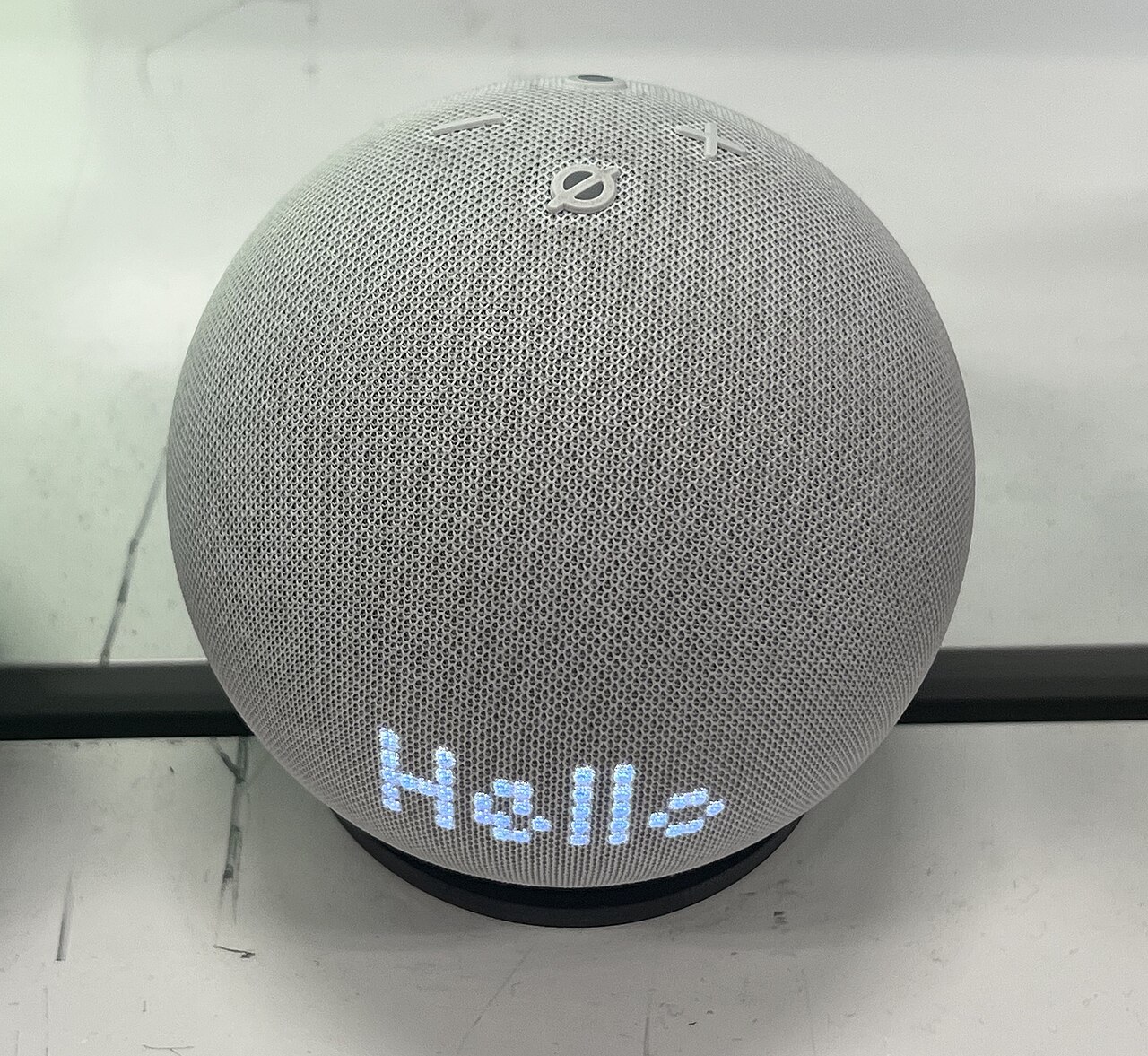
Overview: a small Alexa speaker that earns its place
The Amazon Echo Dot (5th Gen) is the smart speaker I would buy for utility, not for musical drama. For 49 USD, it combines a 1.73-inch full-range driver, Alexa, dual-band Wi-Fi 802.11a/b/g/n/ac, Bluetooth 5.2, a 4-microphone far-field array, optional Eero mesh extension, and a built-in temperature sensor. That combination makes the Dot the easiest low-risk entry point into Alexa, but I would not recommend it as a main music speaker, a Zigbee hub, or a neutral choice for homes already committed to Google Assistant or Apple Home.
The important thing is to judge it against the job it is built to do. The Echo Dot is not trying to replace a bookshelf speaker, a soundbar, or a larger smart speaker in an open living room. It is trying to be useful from a nightstand, a kitchen counter, a desk, a bathroom shelf, or a small office without taking over the surface it sits on. At 3.9 inches wide, 3.9 inches deep, and 3.5 inches tall, it is physically closer to a household object than a component in an audio system. That is a strength, not an apology.
The central trade-off is clear: the 5th Gen model sounds fuller than the 4th Gen Dot, especially in bass weight, but the 1.73-inch driver still has hard acoustic limits. The far-field array can catch the wake word from roughly 8 to 10 feet at normal speaking volume with music playing at a moderate level. Those two facts define the product well. It is better than its size suggests for casual listening, and it is much more useful as a voice interface than a typical compact Bluetooth speaker.
Design, build, and setup
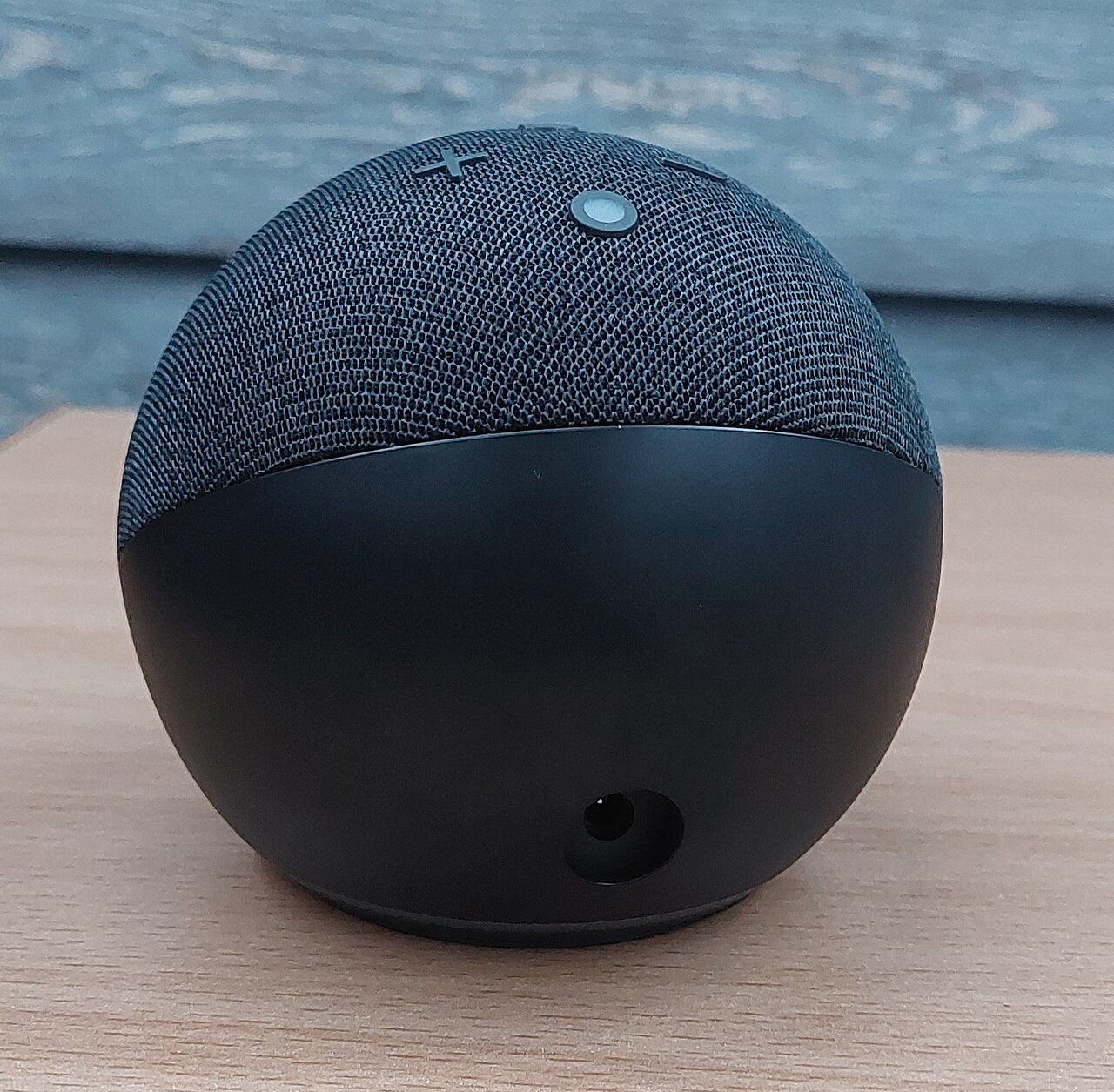
The 5th Gen Dot keeps the rounded fabric-covered shape introduced in the prior generation. It does not look like a miniature tower or a visible gadget stack; it reads as a soft sphere with a light ring, physical top controls, and enough visual restraint to blend into a shelf. That matters because smart speakers work best when they can stay plugged in and available all day. A device that looks too technical is more likely to be hidden, moved, or unplugged.
Radom1967 / Wikimedia Commons (CC BY-SA 4.0)
The dimensions are one of the strongest practical arguments for this model. A device measuring 3.9 inches by 3.9 inches by 3.5 inches can fit beside a lamp, behind a computer monitor, near a coffee maker, or on the narrow ledge of a bathroom vanity. It does not need the footprint of a full-size speaker, and it does not ask you to rearrange a room before it becomes useful. The fabric mesh also helps it avoid the shiny-plastic look that can make small electronics feel cheaper than they are.
Setup remains one of Amazon's most polished flows. The Alexa app detects the Dot, walks through Wi-Fi setup, links the device to the Amazon account, and then exposes speaker settings, routines, music services, Bluetooth, and EQ controls. Basic setup can take under 3 minutes when your account and Wi-Fi are ready, which matches the role of the product: it is meant to be added quickly, not treated like a weekend project. The app also provides custom EQ, so you can trim bass or lift treble after hearing it in your own room.
The physical controls are straightforward. Volume up, volume down, action, and microphone mute sit on top, which is exactly where guests expect them. The microphone mute control is especially important in bedrooms and offices because it gives a visible, hardware-level way to stop listening. The light ring communicates status without requiring you to open the app: blue for Alexa activity, orange during setup, and other colors for notifications or device state.
Sound performance in real rooms
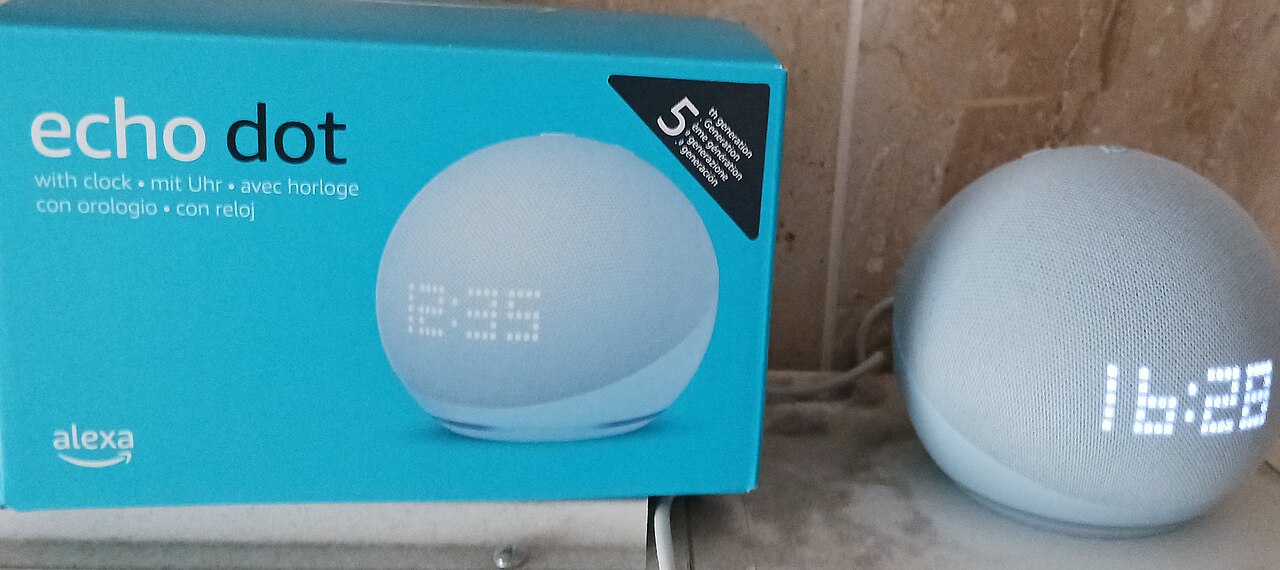
The Echo Dot's sound should be described in proportional terms. For a 49 USD speaker using a 1.73-inch driver, the 5th Gen model is pleasantly full. It has enough mid-bass presence to make radio, podcasts, audiobooks, and casual playlists sound less hollow than older puck-shaped Echo Dots. Voices are clear, the tonal balance is forgiving, and the Alexa app's EQ can make the speaker warmer or brighter depending on where it sits.
Aktulisert / Wikimedia Commons (CC BY-SA 4.0)
The improvement over the 4th Gen Dot is most obvious at modest volume. In a bedroom, office, or small kitchen, music has body instead of sounding like a voice prompt stretched into a song. Podcasts do not become boomy, and spoken-word content remains easy to follow. That is the best-case environment: close to the listener, surrounded by reflective room surfaces, and not competing with a large open floor plan.
The limitation is just as real. A 1.73-inch driver cannot move enough air to convincingly fill a medium or large room, and it cannot create the separation or scale of a larger speaker. Push it too hard and the presentation becomes compressed because the enclosure and driver are doing all they reasonably can. If your main use case is music in a living room, the full-size Echo 4th Gen with its larger 3.0-inch woofer is the better Alexa choice. If your main use case is a bedside playlist at night, the Dot makes more sense.
Bluetooth 5.2 helps the Dot work as part of a more flexible audio setup. You can pair a phone for direct playback, or use Alexa routines and services for voice-driven music. Bluetooth pairing can occasionally require re-pairing after extended idle periods, so buyers who want a permanently connected desktop speaker should treat Bluetooth as a useful extra rather than the entire reason to buy the device.
Alexa performance, sensors, and automation
Alexa is the reason to choose the Echo Dot over a small speaker with better pure audio hardware. The Dot runs the same Alexa assistant platform as larger Echo devices: timers, alarms, reminders, weather, smart lights, plugs, thermostats, music services, announcements, drop-in calling, and routines all work from this small sphere. The 4-microphone array is important because the device is meant to hear you from across the room, not only when you lean over it.
The built-in temperature sensor is the most useful hardware addition for smart-home buyers. It lets the Dot act as a room-aware trigger. You can build a routine that turns on a smart-plug fan when a bedroom climbs past 74°F, or one that announces a temperature change in a nursery, office, or guest room. Separate temperature accessories often cost 20 USD to 40 USD, so getting the sensor inside a 49 USD speaker changes the economics of simple automation.
There is a boundary to that feature. The Dot senses temperature, not humidity. That means it can participate in basic comfort routines, but it is not a full environmental sensor for complete HVAC decision-making. If a room needs humidity-aware automation, condensation monitoring, or multi-sensor climate logic, the Dot should be paired with other hardware. For a simple fan, heater plug, or alert routine, the built-in temperature sensor is enough.
The other boundary is Zigbee. The Echo Dot 5th Gen does not include the built-in Zigbee hub found in some larger Echo hardware. If your smart home relies on direct Zigbee pairing, you still need an Echo model with that hub or a separate hub from another ecosystem. Wi-Fi smart plugs, cloud-connected bulbs, and devices already supported through Alexa remain easy; the limitation only matters when you specifically want the Echo itself to be the Zigbee coordinator.
Eero extension, multi-room audio, and daily reliability
Optional Eero mesh extension is easy to overlook because it is not an audio feature, but it can matter in a home that already uses Eero networking. The Dot can act as an additional Eero node for coverage support rather than requiring a dedicated extender in that room. It is not a reason to buy the Dot if you do not own Eero gear, and it should not be confused with a full networking upgrade. But for an Eero household with one weak bedroom or office corner, adding a 49 USD Dot may solve two problems at once: voice coverage and wireless reach.
Multi-room audio is another reason the Dot is valuable. One Dot is useful; several Dots become an inexpensive voice and audio layer spread across the home. A kitchen Dot can handle timers, a bedroom Dot can run alarms, and an office Dot can manage calls or focus playlists. Because each unit is small and comparatively inexpensive, it is realistic to place them where they are useful rather than forcing one larger speaker to cover everything.
The Dot also supports the major listening patterns most people expect from Alexa: Amazon Music, Spotify, Apple Music, radio-style streams, podcasts, and Bluetooth input. Its job is not to be the best speaker in the house. Its job is to make audio and voice commands available in more places. That distinction is why it remains easy to recommend even when larger speakers sound better.
Echo Dot vs Google Nest Mini, Apple HomePod mini, Eufy Genie, and Bose Home Speaker 500
Against the Google Nest Mini, the Echo Dot is the better pick for Alexa households and for buyers who want the temperature sensor and Eero tie-in. Google's small speaker makes more sense if your household already uses Google Assistant, Google Home routines, and Android-centered services. The decision should start with assistant ecosystem, not with the speaker shape. If your lights, plugs, shopping lists, and routines already live in Alexa, the Dot is the smoother fit.
Against the Apple HomePod mini, the Echo Dot is more affordable and more flexible for mixed-device households. The HomePod mini is a better match for people deeply invested in Apple Home, Siri, iPhone handoff, and Apple Music. The Dot is better for buyers who want broad Alexa compatibility and a lower entry price. The key point is not that one is universally superior; it is that Apple optimizes for the Apple home, while Amazon optimizes for inexpensive Alexa coverage.
Against the Eufy Genie, the Dot's advantage is that it is the current, more rounded Alexa node. Eufy's compact speaker competed on low-cost voice access, but the Echo Dot 5th Gen adds the temperature sensor, Bluetooth 5.2, optional Eero extension, and the tighter first-party Alexa setup flow. If you see an Eufy Genie as a bargain, remember that the Dot is the safer long-term pick for routine building and updates.
Against the Bose Home Speaker 500, the Dot is playing a different game. The Bose is aimed at bigger, richer sound from a larger countertop speaker. The Dot is aimed at compact placement, routines, timers, and distributed access. If music quality is the first requirement, a Bose smart speaker belongs on the list. If you want a small voice node in 3 rooms for the cost of one premium speaker, the Dot is the more practical route.
The full-size Echo 4th Gen is the most important internal alternative. It adds stronger audio and, depending on configuration, hub capability that the Dot lacks. The Dot wins when you want a small room device, a first smart speaker, or a low-cost addition to an existing Alexa setup. The larger Echo wins when the speaker itself is expected to carry a room.
Who should buy the Echo Dot 5th Gen?
Buy the Echo Dot 5th Gen if you want the cheapest sensible path into Alexa without accepting a throwaway device. It is especially good for bedrooms, kitchens, offices, guest rooms, and apartments where a 49 USD speaker can be useful every day. It is also the right choice for people who want to experiment with routines before investing in sensors, hubs, cameras, thermostats, and more expensive speakers.
It is ideal for families that use timers constantly, anyone who wants voice-controlled lights, renters who cannot make complex smart-home changes, and Eero users who might benefit from optional mesh extension. It is also a strong second or third Echo for households that already own a larger Alexa speaker in the main room. Put the better speaker where music matters; put Dots where commands happen.
Do not buy it as your main music system for a large living room. Do not buy it if you need native Zigbee hub functionality. Do not buy it if humidity data is essential to your automation plan. And do not buy it if you are committed to Google Assistant or Apple Home and do not want Alexa in the house. The Dot is excellent at its lane, but it is not ecosystem-neutral.
Verdict: the budget smart speaker that still feels useful
The Amazon Echo Dot (5th Gen) succeeds because its price, size, and feature mix line up. For 49 USD, it provides full Alexa access, a compact 3.9-inch class body, a fuller-sounding 1.73-inch driver than older Dots, a 4-microphone far-field array, Bluetooth 5.2, dual-band Wi-Fi, optional Eero extension, and a built-in temperature sensor. None of those pieces alone would make it special. Together, they make the Dot the easiest smart-home starter device to recommend.
Its weaknesses are honest ones. The driver cannot beat physics, Zigbee requires other hardware, Bluetooth may need occasional re-pairing, and the temperature sensor does not replace a complete climate sensor suite. Those caveats matter, but they do not erase the central value. For small rooms and everyday Alexa access, the Echo Dot 5th Gen is the practical default.